Simulation
Simulation is the virtual recreation of a hardware or software environment. In web development, it allows engineers to test their applications in environments that mirror physical mobile devices—without needing a drawer full of hardware.
Why simulate?
Traditional "Responsive Mode" in browser DevTools only performs Viewport Resizing. This is useful for checking basic CSS breakpoints, but it fails to account for the real-world complexities of mobile devices:
- Environmental Accuracy: Real mobile browsers have notches, dynamic islands, and OS-specific scrollbar physics.
- Hardware Constraints: Mobile chipsets have significantly lower concurrency limits and different thermal throttling profiles compared to desktop CPUs.
- Connectivity Realities: Mobile networks are unpredictable, characterized by high jitter and surgical packet loss.
Simulation bridges this gap by mimicking not just the size, but the behavior of the target device.
How Emuluxe handles simulation
Emuluxe operates as a Simulation Foundry. By intercepting low-level browser commands and injecting OS-level behaviors, we provide a high-fidelity environment that feels like a real device.
Our simulation is built on two primary technical tiers:
1. Basic Simulation
Available exclusively via the Emuluxe Chrome Extension. Basic Simulation provides foundational tools for quick mobile-first checks directly in your browser:
- High-Fidelity Viewport: 1:1 pixel accuracy for 30+ device profiles.
- DPR Scaling: Automatic adjustment of the Device Pixel Ratio to match target hardware.
- Touch Emulation: Translation of mouse interactions into multi-point touch events.
- Inertial Scrolling: OS-specific scroll physics (iOS vs. Android) for realistic animation testing.
2. Advanced Simulation
Powering the Emuluxe Web Platform and our native IDE Extensions (VS Code & Cursor). Advanced Simulation introduces Kernel-Level Fidelity and complex orchestration tools:
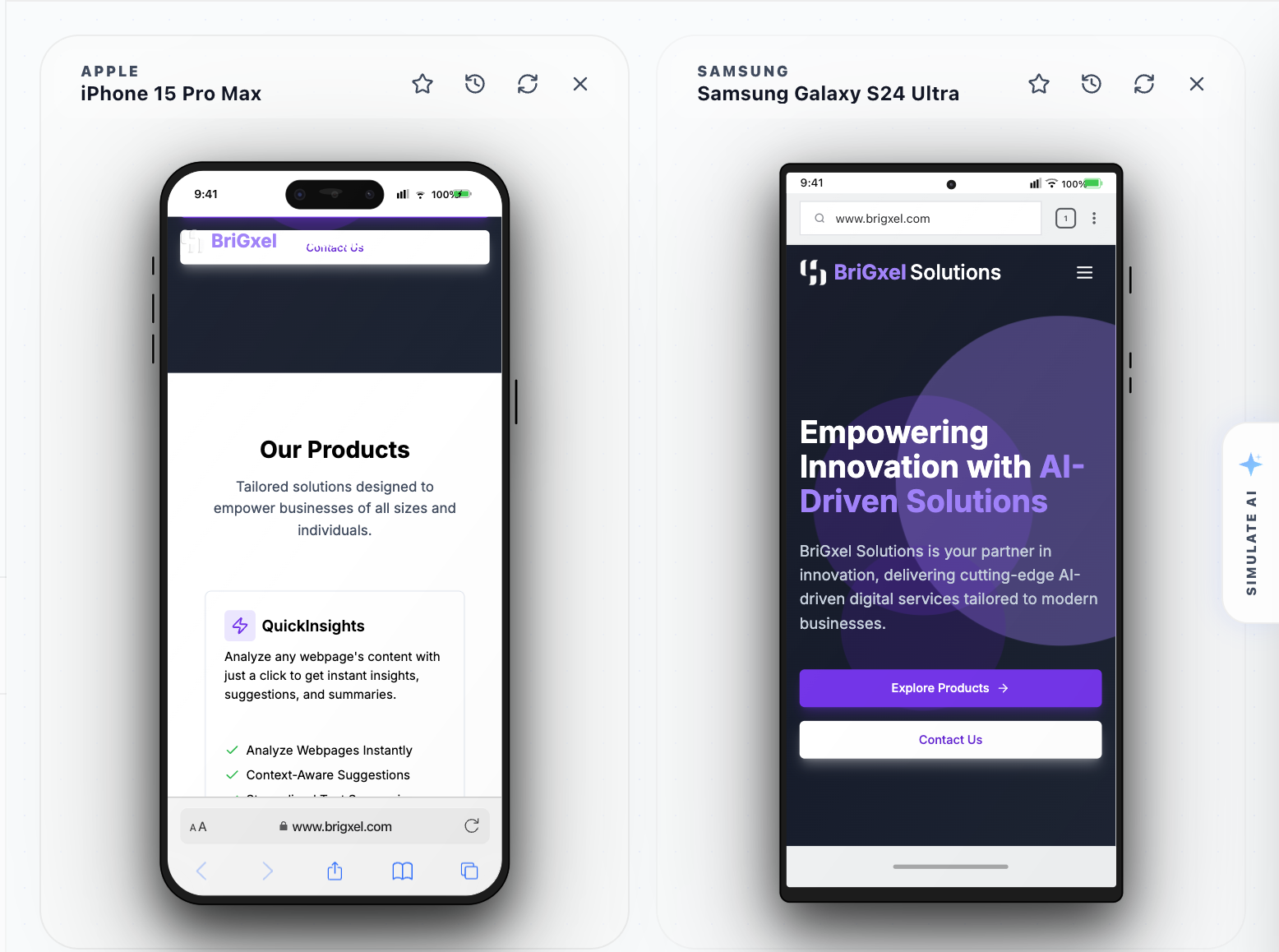
- Hardware Safing: Real-time rendering of Notches, Dynamic Islands, and software Home Indicators.
- Network Fidelity: Surgical network hooks for simulating Edge, 3G, 4G, and LTE with custom latency jitter.
- Parallel Simulation (Web & IDE): Simulate your application across multiple device profiles (e.g., iPhone 16 Pro and Pixel 9) in a single unified view.
- Biometric Enclaves: OS-level stubs for testing FaceID, TouchID, and WebAuthn flows.
- AI Auditing: Root-cause performance analysis that identifies bottlenecks specific to mobile hardware.
Basic vs. Advanced Simulation
| Feature | Basic (Chrome Extension) | Advanced (Platform & IDE) |
|---|---|---|
| Rendering Engine | Browser Viewport Resize | Emuluxe Core Engine |
| Hardware Spoofing | User-Agent + Viewport | GPU, Memory, Battery, Sensors |
| Safe Areas | ❌ (Viewport Only) | ✅ (Notches, Home Indicator) |
| Parallel Simulation | ❌ (Single Device) | ✅ (Up to 8 Devices) |
| Network Control | Basic Throttling | Advanced Latency & Jitter |
| Biometrics Mocking | ❌ | ✅ (FaceID, TouchID) |
| IDE Integration | ❌ | ✅ (VS Code, Cursor) |
| Session Control | Basic | Advanced Cloud Sync |
3. Additional Visual Enhancements
- 3D Animation on Hover: An optional visual effect that adds depth and perspective to the device frame as you interact with it, providing a more immersive feel.
- Touch Pointer: Toggles the visual circular "tap" indicator, helping you verify touch targets and capture more intuitive demos.
Where to start
If you're new to the foundry, we recommend launching a Basic Simulation session first to get a feel for the interface.
[!TIP] To get started immediately, follow our Quickstart Guide.
Next, explore our guide on Device Selection.