Learn about Emuluxe
Emuluxe is the world’s first high-fidelity Mobile Simulation Foundry. It bridges the gap between traditional responsive design tools and the reality of physical device testing. By simulating the entire hardware and software stack—from kernel-level network hooks to hardware-specific safe areas—Emuluxe empowers developers to build, debug, and audit mobile experiences with 100% confidence.
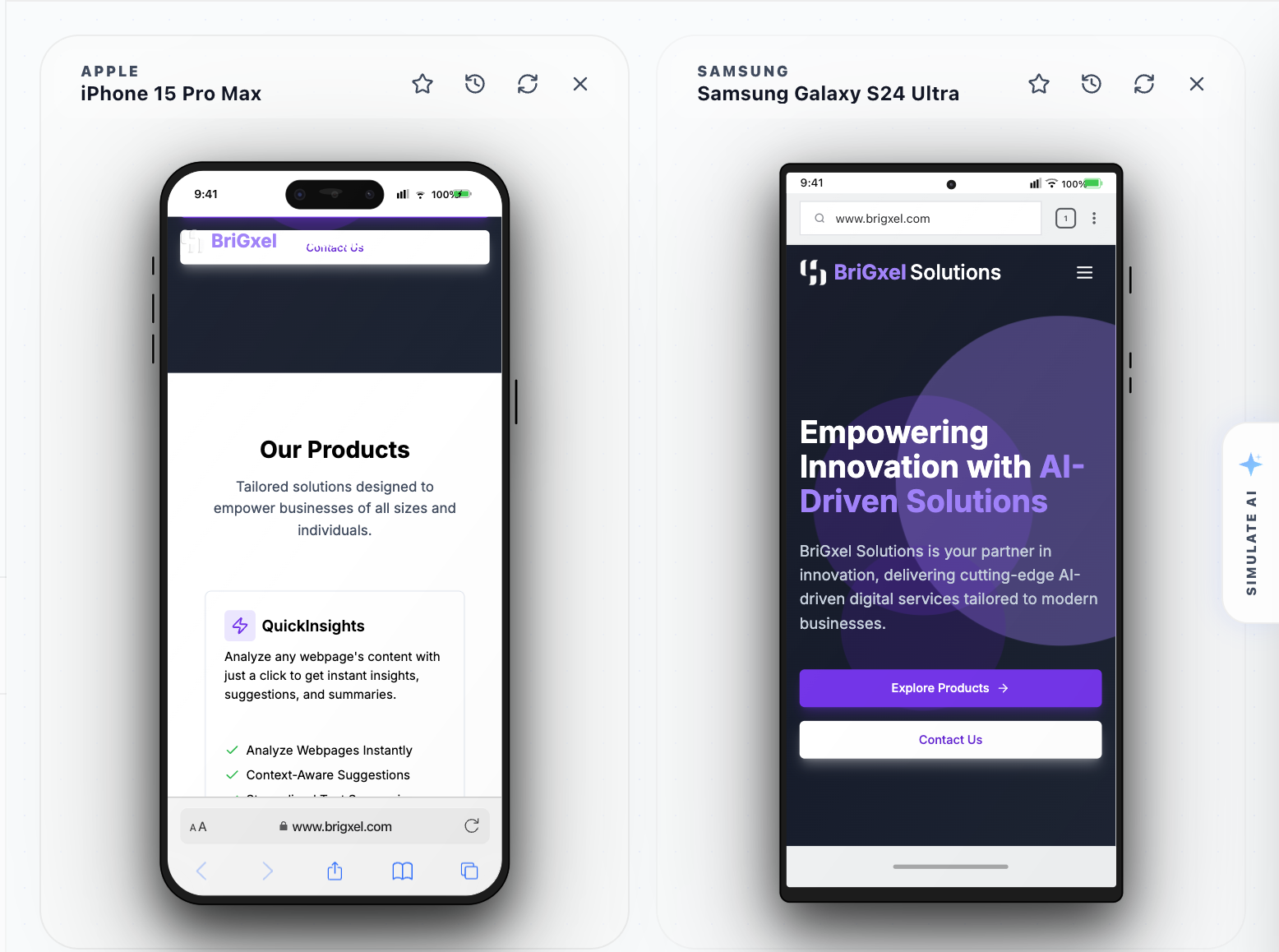
As a platform-agnostic simulation ecosystem, Emuluxe enables thousands of engineering teams to deliver mobile excellence programmatically and precisely across the web and IDE environments.
How it works
As a high-fidelity simulation solution, Emuluxe helps developers define specific virtual hardware environments and audit their site's performance within them.
- Define Your Environment: Use our Device Foundry to select from over 30+ virtual device profiles, ranging from flagship smartphones to restricted low-end hardware.
- Simulation Engine: Once a device is selected, our engine intercepts low-level browser commands to inject real-world mobile behaviors, including User-Agent spoofing, DPR adjustments, and PPI-accurate rendering.
- Kernel Hooking: Emuluxe applies surgical network throttling and hardware concurrency limits to simulate how your application handles real-world stress and connectivity.
- AI Audit & Delivery: Developers can then run live AI Audits to identify root-cause performance bottlenecks and CSS variable overflows (like
env(safe-area-inset-*)) before shipping.
Team collaboration is built-in; share your simulation sessions and audit reports across your team to ensure every stakeholder sees the exact same mobile reality.
Why choose Emuluxe?
While standard browser DevTools are frontend-agnostic, Emuluxe is Environment-Aware. It doesn't just resize your site; it re-kernels the simulation to match the target device.
High-Fidelity Precision
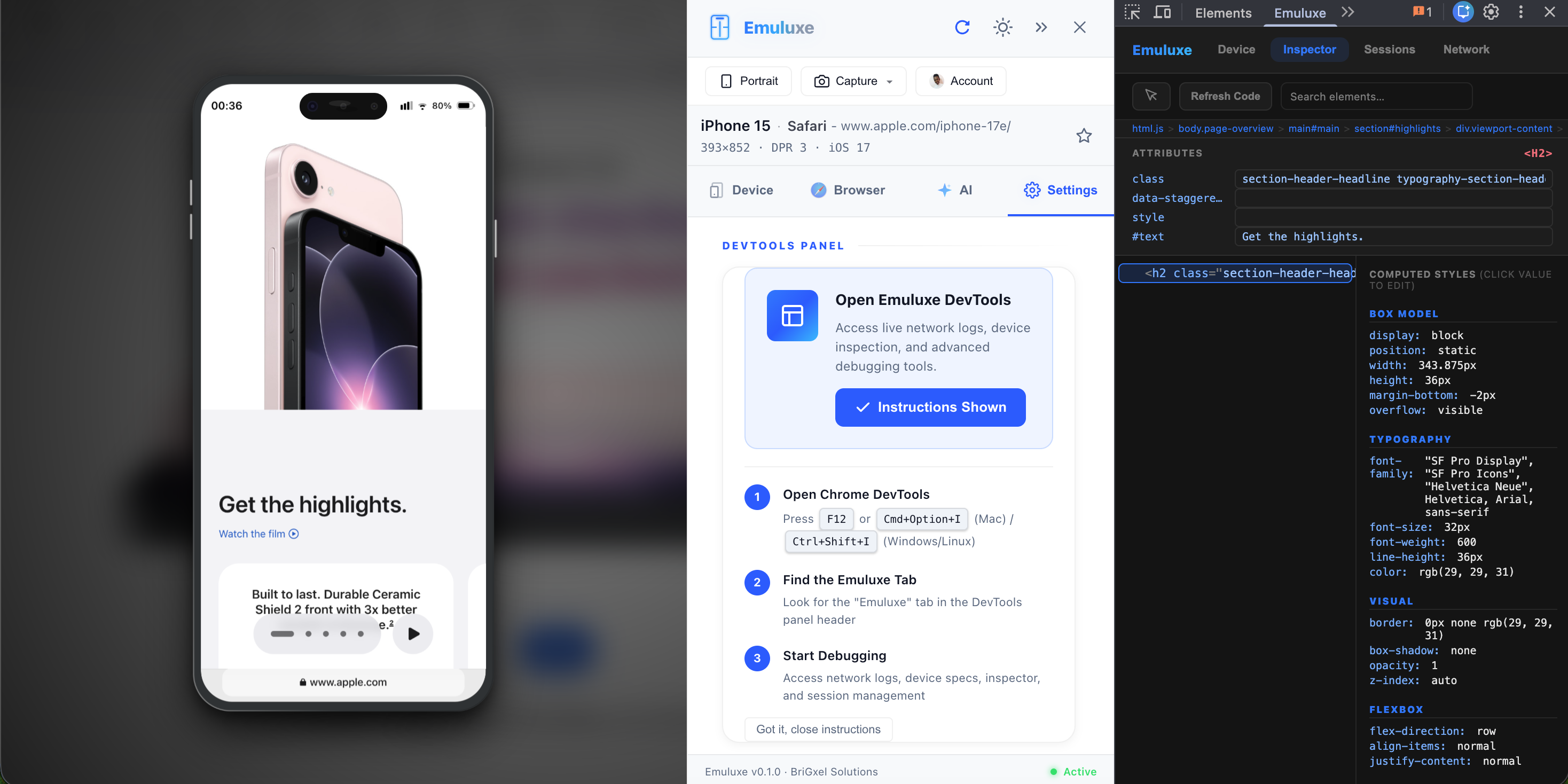
Our Frame-Aware Rendering engine ensures your site is aware of physical notches and home indicators. We provide industry-leading 1:1 hardware simulation, ensuring that what you see in the forge is exactly what the user feels on the device.
Developer Experience
Emuluxe equips engineering teams with a versatile toolbelt:
- The Foundry (Browser Extension): Direct simulation in your Chromium-based workspace.
- IDE Forge (VS Code & Cursor): Bringing testing directly into your development workflow.
- CLI Power: Automate simulations and audits in your CI/CD pipelines.
Unmatched Performance
Build and scale your digital products with our globally distributed simulation infrastructure. We offer less than 90ms Edge Latency for live sessions, ensuring that your high-fidelity simulation feels as fast as local development.
Use cases support
Emuluxe enables the following mission-critical use cases:
- Precision Debugging: Solve complex CSS layout issues on specific notches or dynamic islands that are hidden by standard tools.
- Accessibility & UX Audits: Test site performance and touch-target dynamics on slow 3G networks to ensure global inclusive design.
- Fintech & Security: Audit biometric authentication flows (Face ID/Touch ID) and secure enclave stubs.
- Cross-Device QA: Perform exhaustive regression testing across dozens of virtual profiles without the overhead of a physical device lab.
Navigating the Platform
Once you're logged into the Emuluxe Dashboard, you can navigate your simulation foundry using the sidebar:
| UI Section | What you can do |
|---|---|
| 1. Overview | Home screen with quick-start guides and recent audit reports. |
| 2. Device Foundry | Configure and manage your virtual device hardware profiles. |
| 3. Simulation Forge | Access the core simulation environment for web and extension sessions. |
| 4. AI Auditor | Run and review automated root-cause analysis reports. |
| 5. Network Profiles | Define custom throttling profiles and latency hooks. |
| 6. Team Settings | Manage granular rights, permissions, and collaborative project areas. |
| 7. Help & Docs | Comprehensive guides, API references, and community support links. |
Fundamentals
This section offers a contents map to help you navigate our documentation.
| Document | Contents |
|---|---|
| About Emuluxe | Detailed overview of the platform, architecture, and use cases. |
| Quickstart | Launch your first simulation session in under 2 minutes. |
| Installation | Set up the Foundry Extension and IDE integrations. |
| Hardware Simulation | Learn how we handle Notches, Safe Areas, and DPR. |
| Network Fidelity | Guide to custom throttling and edge latency testing. |
| AI Auditing | How to generate and interpret automated performance reports. |
[!TIP] To get started immediately, we recommend following the Quickstart Guide.
Next, head over to Installation to set up your first environment.