iOS Browsers
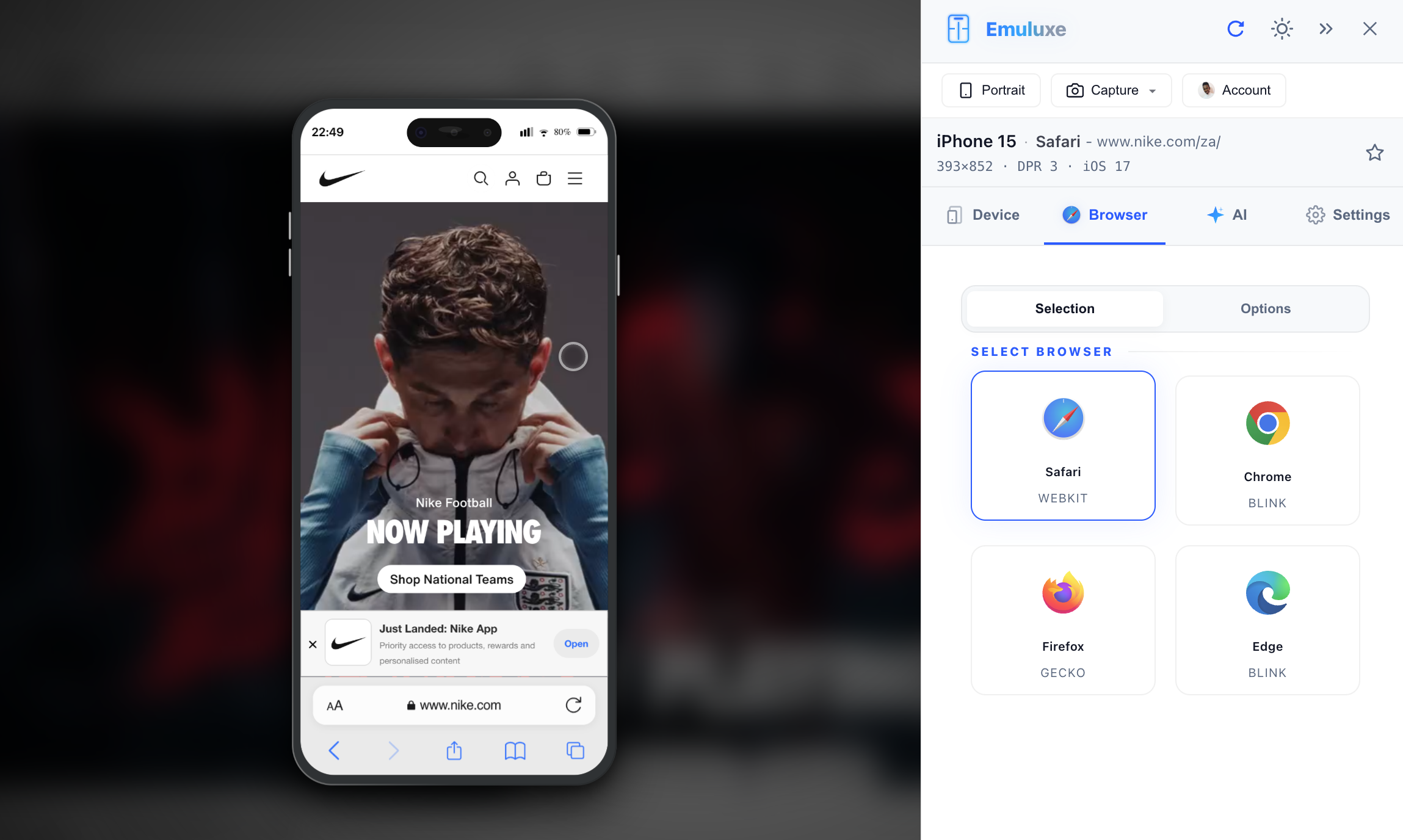
Emuluxe provides the industry's most accurate simulation of the iOS browsing experience. By replicating the specific rendering quirks and UI behaviors of Safari and other Chromium-based browsers on iOS, we ensure your mobile audits are 100% reliable.
Safari on iOS
The Safari simulation is our most advanced "Chrome" implementation, featuring:
Adaptive URL Bar (iOS 15-18)
- Bottom-Bar Navigation: We mirror the modern Safari layout where the address bar sits at the bottom for better reachability.
- Scroll-Driven Collapse: As you scroll down a page, the address bar smoothly minimizes into a compact "Mini-Pill," accurately reclaiming viewport height—just like a real iPhone.
- Dynamic Height: Safe Area Insets (
env(safe-area-inset-bottom)) are automatically recalculated as the UI expands and collapses.
Version-Specific UI
Emuluxe allows you to switch between iOS 16, 17, and 18 styles, updating the iconography, corner radii, and blur intensities to match the target OS version precisely.
Chrome, Edge, and Firefox on iOS
While these browsers use the same underlying WebKit engine on physical iOS devices, their UI Shells differ significantly from Safari.
- Chrome iOS: Features a top-aligned address bar and a persistent bottom navigation strip.
- Edge iOS: Includes the unique Edge hub and navigation styling.
- Firefox iOS: Replicates the Firefox-specific tab management and address bar layout.
Technical Fidelity
| Feature | Safari (iOS) | Chrome (iOS) |
|---|---|---|
| Engine | WebKit (Simulated) | WebKit (Simulated) |
| URL Location | Bottom (Adjustable) | Top |
| Scroll Collapse | Included | Not Applicable |
| Haptic Feedback | Simulated | Simulated |
[!NOTE] All iOS browsers in Emuluxe are "Environment-Aware," meaning they automatically shift their UI to account for the Dynamic Island or Notch of the selected device profile.
Next, learn about Android Browsers.