Android Browsers
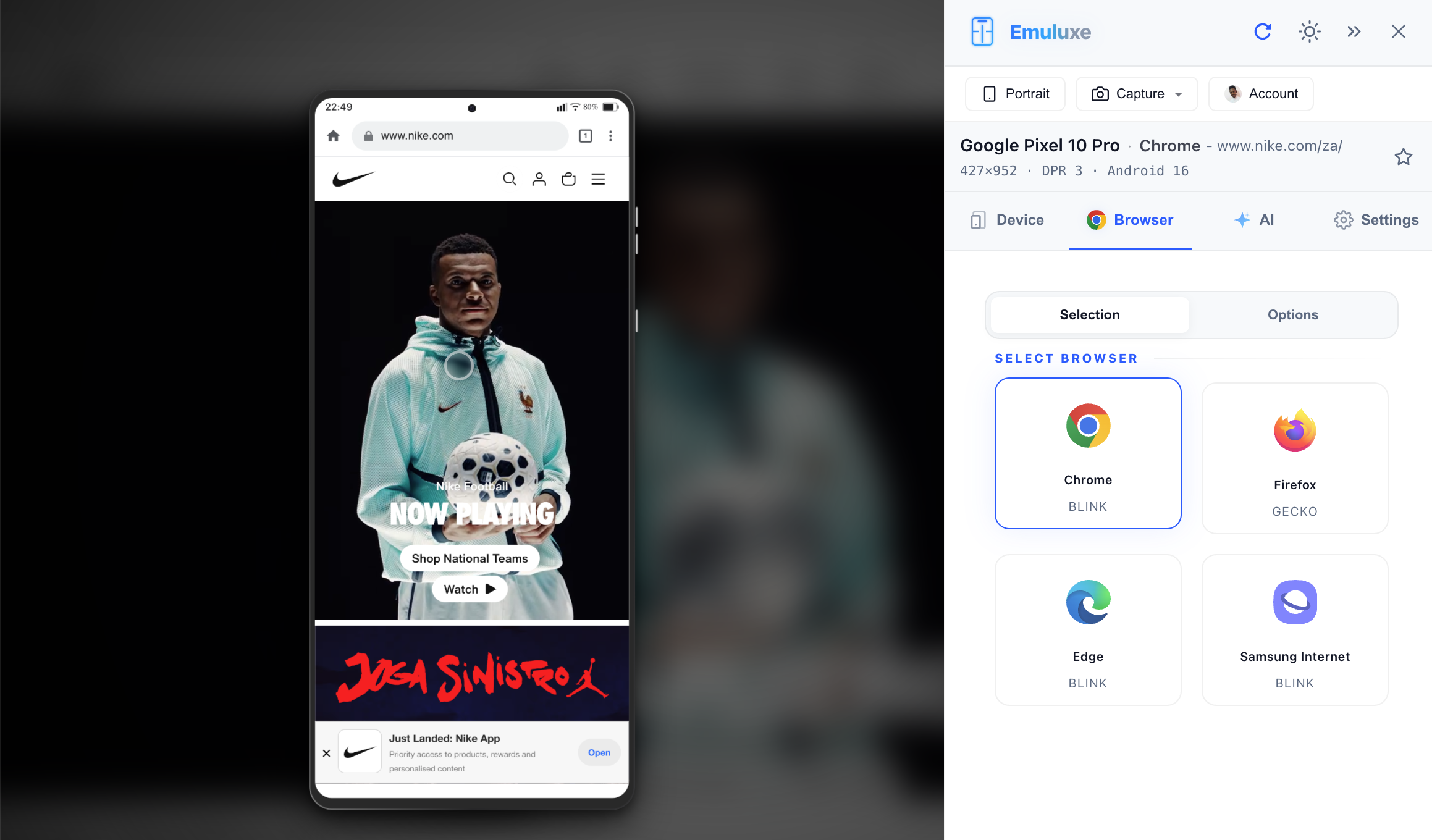
The Android ecosystem is defined by its diversity. Emuluxe simplifies this by providing high-fidelity UI simulations for the most popular Android browsers, ensuring your site looks and feels native across the entire Android fleet.
Google Chrome on Android
Chrome is the default experience for the majority of Android users. Emuluxe replicates its unique "Standard" and "Dynamic" behaviors:
The Top Address Bar
- Omnibox Simulation: A persistent top-aligned address bar that includes the "Secure" padlock and site-settings menu.
- Theme Color Support: Emuluxe captures the
theme-colormeta tag from your website and applies it to the browser's status bar and address bar background for an integrated mobile feel.
Navigation Gestures
- System Back: Emuluxe simulates the Android system-level "Back" gesture, allowing you to audit how your SPA (Single Page Application) handles hardware-level navigation.
Samsung Internet
Samsung Internet is a major player in the Android market. Our simulation captures its specific UI identity:
- Bottom Navigation: Featuring Samsung's distinct iconography and tool-strip placement.
- View Expansion: Accurate handling of how the UI hides and shows during inertial scrolling on Galaxy devices.
Other Android Environments
Firefox for Android
Firefox remains a popular choice for users who prioritize privacy and customization. Emuluxe provides a 1:1 simulation of the Firefox Android shell.
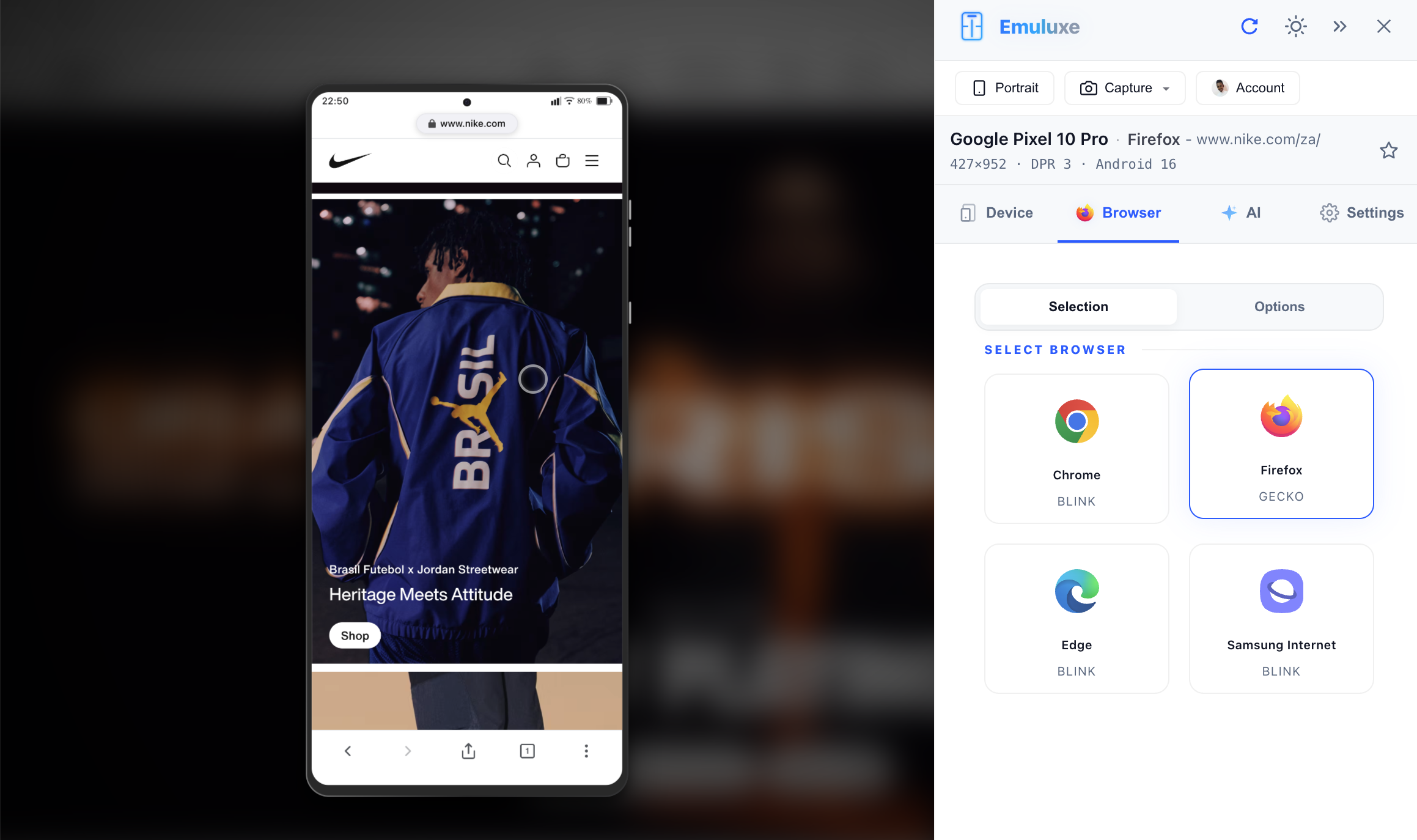
- Navigation Flexibility: Replicates the bottom-aligned address bar option favored by many Firefox users.
- Enhanced Protection: Audits how your site interacts with Firefox's strict tracking protections.
Microsoft Edge
High-fidelity rendering of the Edge Android shell, including the hub-based navigation model.
Comparison Table
| Feature | Chrome (Android) | Samsung Internet |
|---|---|---|
| Base Engine | Chromium | Chromium (Samsung Fork) |
| Primary Nav | Top | Bottom |
| Theme Override | Full Support | Restricted |
| Scroll Physics | Android Standard | Galaxy Optimized |
[!TIP] Use the Hardware Fingerprinting guide to see how these browsers report different GPU and CPU capabilities on Android hardware.
Next, check out Network Simulation.