Webhooks
[!IMPORTANT] Webhooks are an Enterprise-only feature. They are designed for large-scale engineering teams and security researchers who require deep integration with their internal lifecycle management and security operations.
Emuluxe Webhooks allow you to build custom integrations that react to real-time events in your hardware foundry. Use them to notify Discord, Slack, trigger CI/CD steps, or update internal dashboards when a simulation project begins or ends.
Platform Configuration
To configure a new webhook for your enterprise workspace:
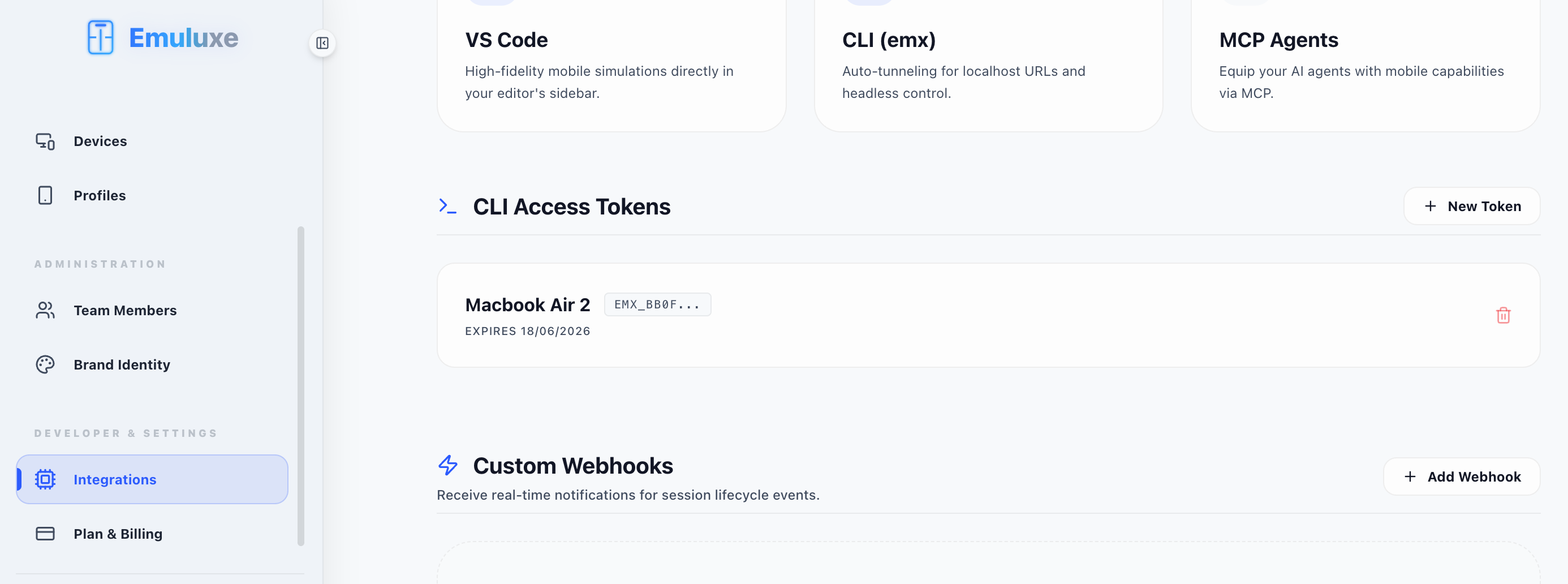
- Navigate to Settings: Go to the Integrations section under your Platform Settings. This is the same hub where you manage your CLI Access Tokens.
- Add Endpoint: Click on the "Add Webhook" button in the Custom Webhooks segment.
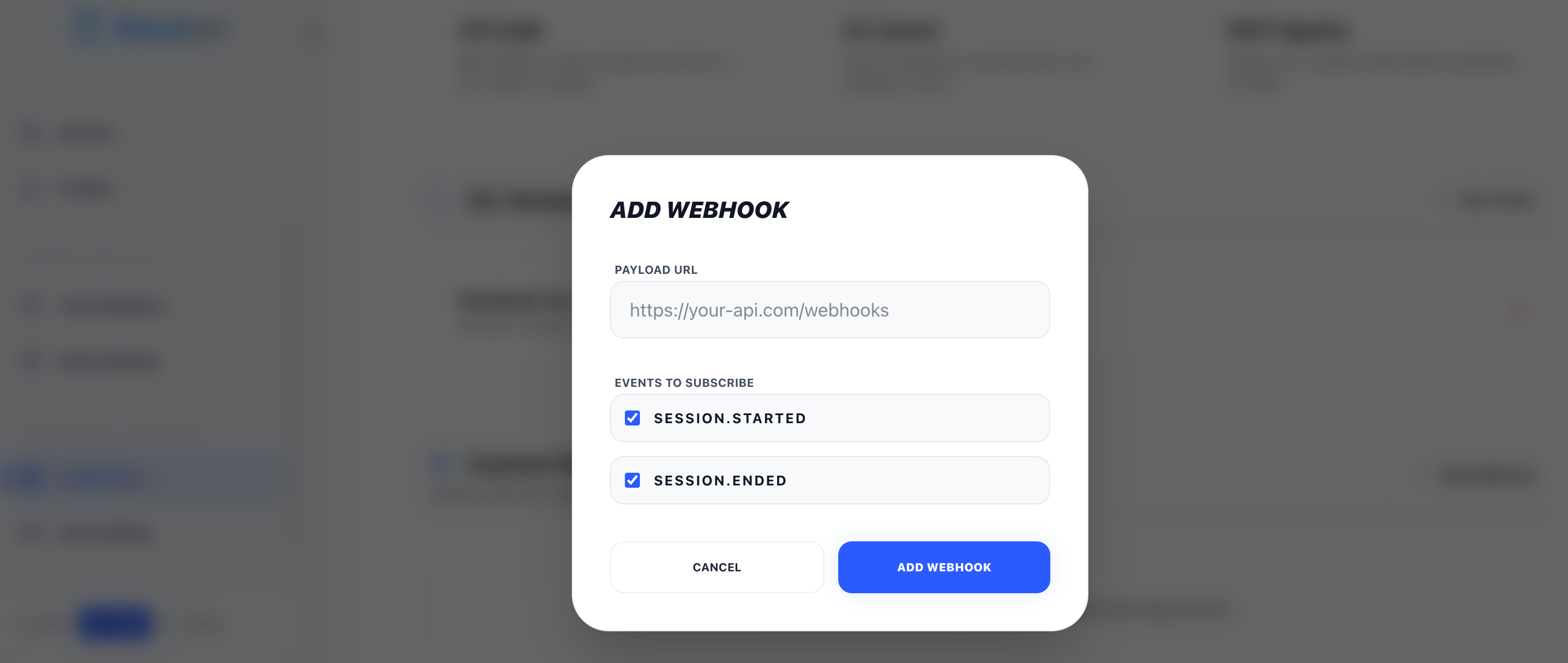
- Configure Payload: Provide your destination URL and enter a secure Webhook Secret.
- Select Events: Choose specific lifecycle events (e.g.,
session.started) or use*to subscribe to all activities.
Security & Verification
To ensure that a webhook was actually sent by Emuluxe and not a third party, every request includes a cryptographic signature in the X-Emuluxe-Signature header.
Signature Headers
X-Emuluxe-Signature: An HMAC-SHA256 hex digest of the raw request body, signed using your Webhook Secret.X-Emuluxe-Event: The name of the event being dispatched (e.g.,session.started).
Event Registry
session.started
Triggers the moment a hardware simulation session is successfully initialized.
- Data Payload: Includes the
deviceID, targeturl, and thesource(CLI, IDE, or Platform).
session.ended
Triggers when a session is closed by the user or reaches its inactivity timeout.
- Data Payload: Includes final session duration and status.
Payload Schema
All webhooks are delivered as a JSON POST request with the following structure:
{
  "event": "session.started",
  "timestamp": "2024-03-23T14:30:00.000Z",
  "sessionId": "b4cf-9a2e-4b1a-8c3d",
  "uid": "user_29384",
  "data": {
    "device": "iphone-15-pro-max",
    "url": "https:/staging.acme.com",
    "source": "cli"
  }
}
Functional Example (Node.js & Express)
Below is a complete, production-ready receiver that verifies the X-Emuluxe-Signature before processing the event.
const express = require('express');
const crypto = require('crypto');
const app = express();

/ Use raw body for signature verification
app.use(express.json({
  verify: (req, res, buf) => {
    req.rawBody = buf;
  }
}));

const WEBHOOK_SECRET = 'your_webhook_secret_here';

app.post('/webhooks/emuluxe', (req, res) => {
  const signature = req.headers['x-emuluxe-signature'];
  const event = req.headers['x-emuluxe-event'];

  / 1. Verify Signature
  const hmac = crypto.createHmac('sha256', WEBHOOK_SECRET);
  const digest = hmac.update(req.rawBody).digest('hex');

  if (signature !== digest) {
    console.error('❌ Invalid Webhook Signature');
    return res.status(401).send('Unauthorized');
  }

  / 2. Process Event
  console.log(`✅ Received Verified Event: ${event}`);
  const { sessionId, data } = req.body;

  if (event === 'session.started') {
    console.log(`🚀 Session ${sessionId} started on ${data.device}`);
  }

  res.status(200).send('Received');
});

app.listen(3000, () => console.log('Listening for Emuluxe Webhooks on port 3000'));
Next, explore the CLI Toolchain.