Orientation Toggle
Orientation Toggle provides high-fidelity simulation of physical device rotation. Unlike standard DevTools which simply swap width and height, Emuluxe’s Visual Reflow Engine manages complex layout state and environment variables to ensure a realistic transition.
The Visual Reflow Engine
When the orientation is toggled, Emuluxe performs a series of atomic updates to the rendering context:
1. Dimension & Media State Synchronization
The engine atomically swaps the viewport's clientWidth and clientHeight. Simultaneously, it triggers a global re-evaluation of:
- CSS Orientation Queries:
@media (orientation: landscape)vs.portrait. - Viewport Meta Tags: Updates
initial-scaleandwidth=device-widthlogic to prevent accidental zooming.
2. Safe Area Inset Migration
This is a critical "Foundry-only" feature. On devices with asymmetrical hardware (like the iPhone Notch), rotating the device moves the hardware cutout to the side. Emuluxe dynamically updates CSS environment variables:
- Portrait:
env(safe-area-inset-top)is active. - Landscape: The inset migrates to
env(safe-area-inset-left)orright, ensuring your navigation bars don't get "buried" under the hardware notch.
3. Inertial Position Preservation
To prevent "Layout Disorientation," Emuluxe tracks the scroll percentage before the rotation and applies an anchor-point correction after the reflow. This ensures the user stays at the same relative position in a long-scroll page.
Technical Capabilities
| Feature | Behavior |
|---|---|
| Rotation Physics | 300ms cubic-bezier transition matching iOS/Android system feel. |
| Resize Events | Dispatched natively to the window, allowing onResize JS handlers to execute. |
| Aspect Masking | Frames and bezels dynamically resize to wrap the new landscape viewport. |
Usage & Shortcuts
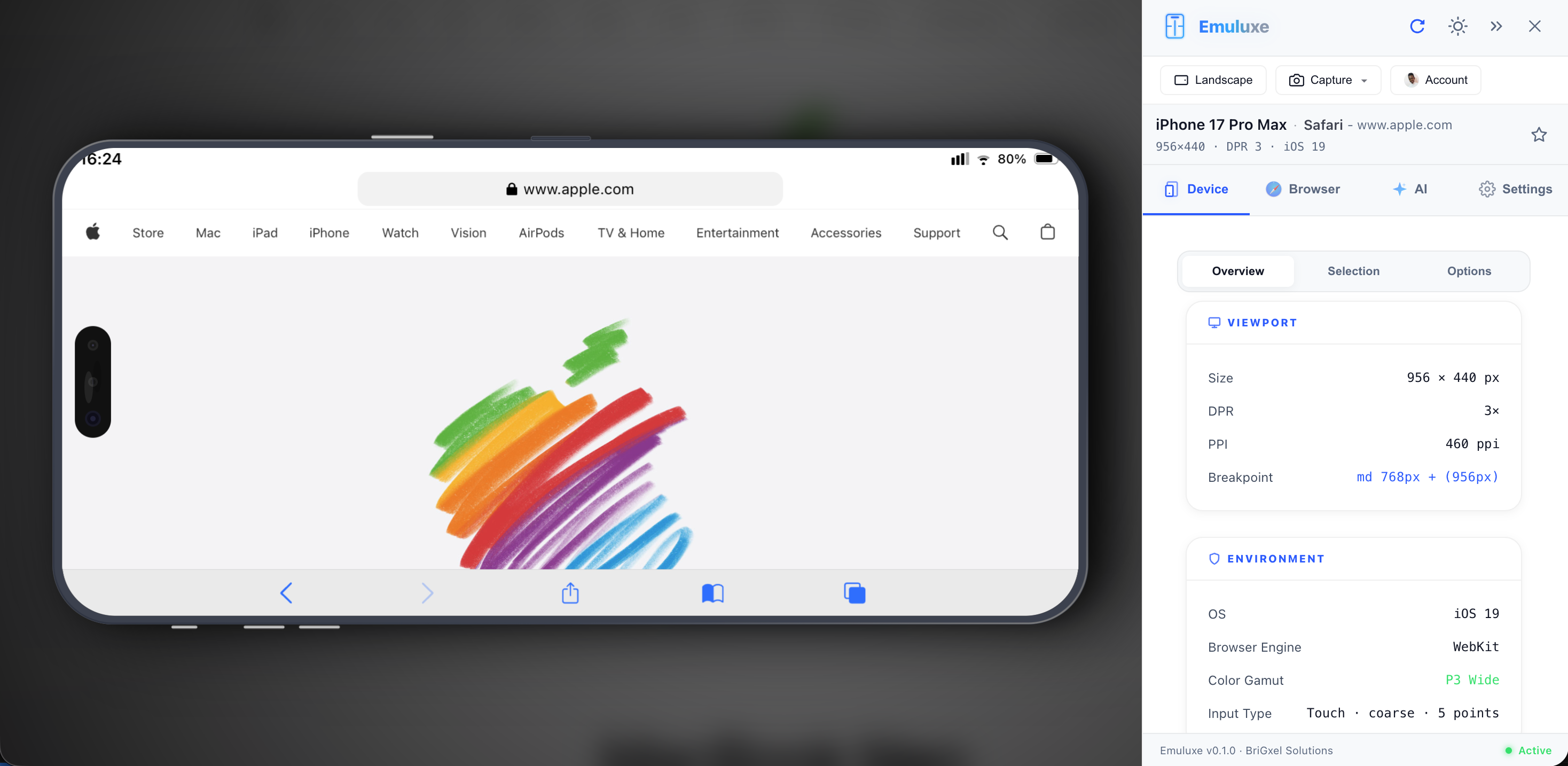
- Simulator Toolbar: Click the Rotate icon to toggle between modes.
- Hotkeys: Press
Ron your keyboard for instant 90-degree rotation. - Platform View: In the Web Platform, you can view both Portrait and Landscape versions of the same site side-by-side using Parallel Simulation.
[!IMPORTANT] Some devices (like specialized Foldables) have unique orientation behaviors. Check The Foundry for device-specific orientation notes.
Next, see how these viewports are wrapped in Device Frames.